


25 / 32 · NEW
Verandah Scroll
A graceful coach light with open scrollwork.
Download SVG kitTwo SVGs · Working example · Step-by-step instructions
A friendly finishing touch for your website. Pick a globe, a lantern or something a little unexpected.
32 designs. Two matching states. Choose from 24 classic SVG/PNG kits or eight new vector lamp kits. Every kit includes a working example and setup instructions.
Free to use and adapt · No account · No installation
Originally created for PorridgeWeb. Now ready for your next website.
Try the light. This little preview changes; the rest of the page stays put.
Both states are shown on their intended backgrounds. Each download contains the complete pair.
32 designs
Eight new SVG lamps below include their own website-use permission and step-by-step text guide. Download all eight lamps · Lamp artwork licence
A graceful coach light with open scrollwork.
Download SVG kitTwo SVGs · Working example · Step-by-step instructions


Botanical curves around a rounded glass chamber.
Download SVG kitTwo SVGs · Working example · Step-by-step instructions


A compact maritime lamp with a protective cage.
Download SVG kitTwo SVGs · Working example · Step-by-step instructions


A faceted lantern with a quiet star motif.
Download SVG kitTwo SVGs · Working example · Step-by-step instructions
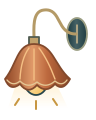
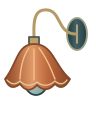
A broad copper shade with a scalloped skirt.
Download SVG kitTwo SVGs · Working example · Step-by-step instructions
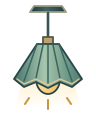
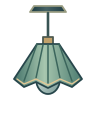
An architectural pendant with crisp folded panels.
Download SVG kitTwo SVGs · Working example · Step-by-step instructions


A precise stepped sconce with champagne glass.
Download SVG kitTwo SVGs · Working example · Step-by-step instructions
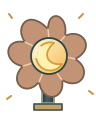
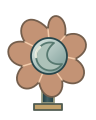
A playful flower lamp with a crescent at its heart.
Download SVG kitTwo SVGs · Working example · Step-by-step instructions


No matching lights. Try “lamp”, “globe” or “switch”, or clear your search.
The icons are artwork. The included example supplies the theme switching, saves a visitor’s preference where their browser allows it, and starts with their device preference.
example/index.html and try the switch.
The guide covers file sizes, setup, existing websites, website builders, accessibility, troubleshooting and launch checks.
Classic-kit PNG widths: 64, 128, 256 and 512 pixels. The original 4:5 proportions are preserved. SVGs scale to any size.
Some website builders require a plan with custom code support. An image block alone cannot change the site’s theme.
The original home of these little lights. Explore website planning, creative tools and practical guidance.
Visit porridgeweb.com ↗Prefer a hand with the whole website? Explore custom website design and makeovers.
Visit digithat.com.au ↗A different kind of inspiration: colour, country and digital art by Robin Custance.
Visit dreamartgallery.com ↗Both collections are free. Other sites have their own services, availability and terms. The classic 24-design kit and example code use the MIT licence. The eight new lamps use their included website-use licence; they cannot be redistributed as a competing asset collection. Brand names and logos are not part of that licence.