
Weekly or credits.
Keep the main weekly allowance in the menu bar, switch to remaining spendable credits, or show both. Other model buckets never silently replace the main reading.
Your allowance and credits.
One small glance.
A small, independent companion for a ChatGPT-backed Codex account. See remaining credits and quota windows together, and choose the number you want in your menu bar.
Targets macOS 13+ · One universal Intel & Apple silicon app
Requires your own compatible Codex installation and login.


MAIN WEEKLY ALLOWANCE
Separate limits. Weekly remains the default menu-bar choice.
*An illustrative demo, not live account data. QuotaPerch shows provider readings—not a prediction of how much work a task will use.
New here? Start with the 5-step guide ↓ · Common questions
Install the current QuotaPerch preview: step-by-step Mac guide →
Fresh native previews of QuotaPerch 0.8.0, build 10, recreated on 15 October 2026. These show the actual app view with synthetic sample values, including the coffee and website buttons.
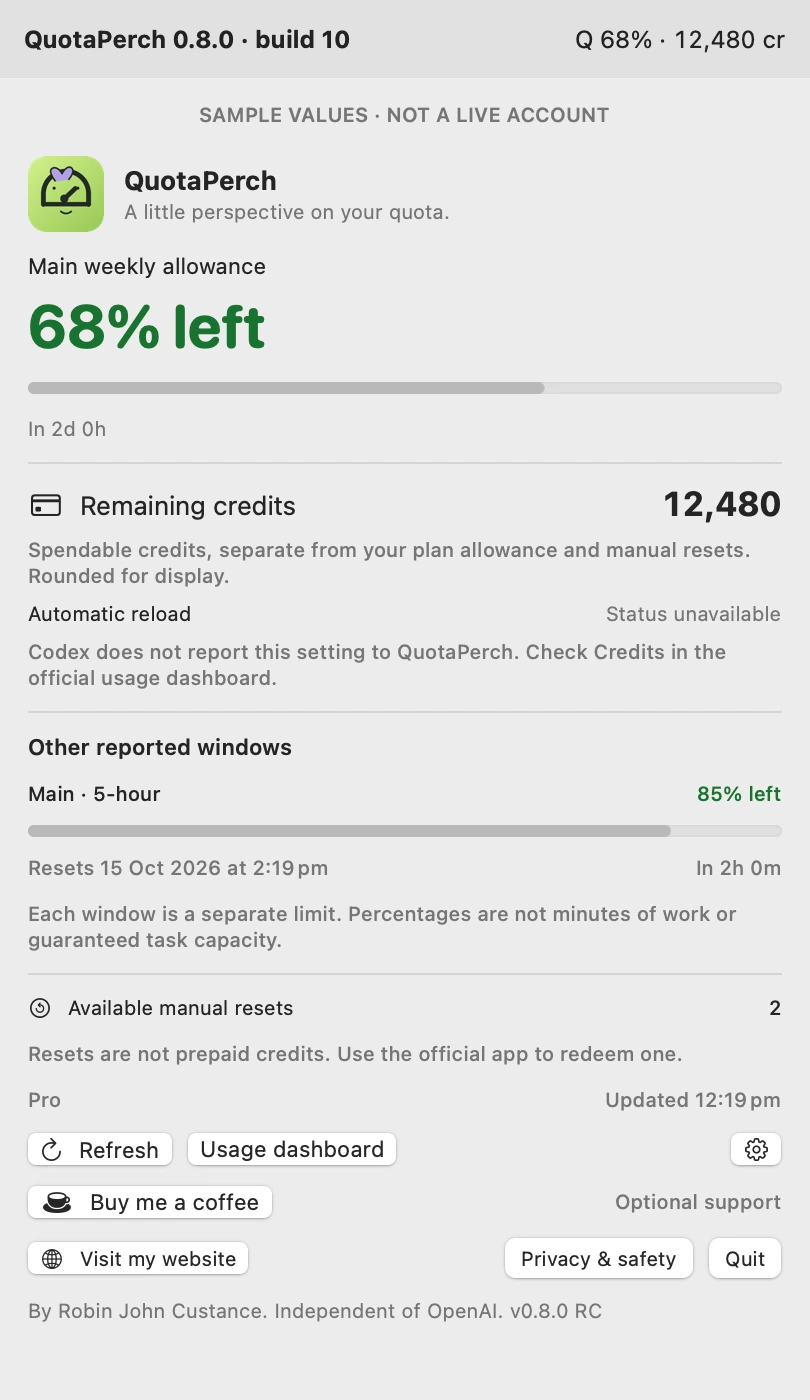
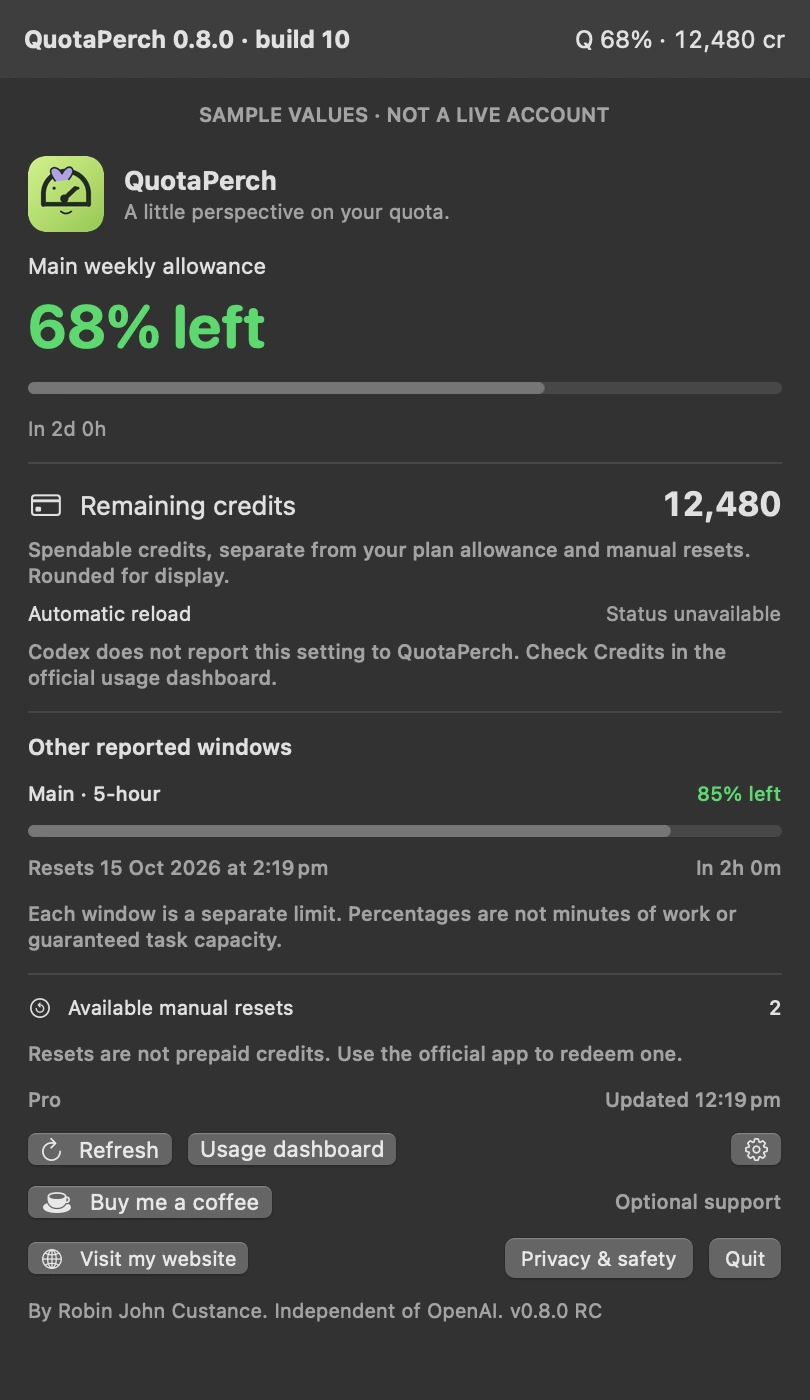
Keep the main weekly allowance in the menu bar, switch to remaining spendable credits, or show both. Other model buckets never silently replace the main reading.
Old readings are labelled. Missing data stays missing—never dressed up as a fresh 100%.
See spendable credits, separate quota windows, provider reset times and available manual resets. No conversion of percentages into credits or working time.
Opt in to seven days of local readings. Copy an account-redacted summary when you need support.
Choose refresh timing, pause polling, hide your email and opt in to a low-main-weekly notification.
The app requests account and limit readings. It does not submit prompts, buy credits or redeem resets.
QuotaPerch cannot increase your allowance, explain every charge, forecast how long a coding task will take, or attribute an account-wide change to one conversation. Provider rules and response formats can change.
The app launches the Codex executable already on your Mac and requests account/rate-limit information through its local app-server interface. Codex handles authentication and provider network access. QuotaPerch does not ask for your ChatGPT password, parse your authentication files, or upload your prompts.
No Python installation is required by this new app source. Building it locally still requires Apple’s developer tools.
Use the public installer only after the Downloads page identifies it as Developer ID signed, Apple notarized and clean-Mac verified. Until then, the available package is a source preview for local evaluation.
Read the setup guide ↗A calm setup, a clear reading, and help when the numbers look odd.
Before you start: This is a source-code release candidate for evaluation, not the public installer. It targets macOS 13 or later with one universal Intel and Apple silicon app, and needs your own compatible official Codex native executable with a ChatGPT-backed login. Intel validation has passed; Apple-silicon execution and public release checks remain.
Start on Downloads. For this candidate, read the source README and scripts before building. The normal signed installer will appear only after release checks pass.
Extract the source ZIP and open Build and Install.command. Follow its y/N prompts: setup checks Apple’s free build tools, shows progress and asks before closing an installed copy. Follow the setup guide. No paid Apple Developer membership is needed for a local build.
Open the menu-bar panel and choose Review Codex connection. Confirm the displayed native executable is the official one you installed before approving. If it is not found, open settings → Choose Codex and select the genuine native binary.
Check main weekly against your official Usage dashboard at approximately the same time. Other windows are separate. Missing or stale readings must not be treated as fresh.
Five-minute refresh, hidden email and no saved history are the starting settings. Enable history or notifications only when useful. Pause stops automatic refresh; manual Refresh remains available.
| What you see | What to try |
|---|---|
| Q — | Review the connection and official login. No bucket is guessed. |
| Reading is stale | Refresh once; check connection and last-successful time. Do not hammer refresh. |
| Connection changed | Confirm a genuine Codex update, then approve its new fingerprint. |
| Possible conflict or high CPU | Pause, then Quit QuotaPerch. Leave other apps alone. Report a redacted summary and versions. |
| Mac security warning | Check the first-launch warning guide. Only use an app-specific exception for a trusted copy. Do not disable Gatekeeper or strip quarantine. |
18 answers
The default is the main weekly Codex allowance. In Settings → Show in menu bar, choose Weekly allowance, Credit balance, or Weekly + credits. A stale marker means the reading needs confirmation. No display choice guarantees that every model can run.
Each reported allowance is a separate limit. A remaining main allowance or credit balance does not guarantee access to every model. Open the panel and check the official dashboard for the relevant window.
No. It means half of that reported allowance remains. It does not tell you how many tasks, minutes or tokens you can use. The app does not invent a credit-to-percentage conversion.
No. Its request list contains only initialisation, account read and rate-limit read. It has no task-submission, payment or reset-redemption function. Use the provider’s own controls for account changes.
Version 0.8.0 shows the provider-reported spendable balance separately from quota percentages and manual resets. Choose weekly allowance, credits, or both in Settings → Show in menu bar. Unknown stays “Not reported”; positive balances below one credit show “<1”. Automatic reload is labelled “Status unavailable” because the Codex interface does not report its on/off setting. Check Credits in the official usage dashboard.
QuotaPerch does not submit an AI task. It asks the existing Codex helper for account and rate-limit information. We do not control provider accounting or guarantee that future provider rules will stay unchanged. Five-minute refresh is the default; there is a pause switch.
Q 22% · means the last reading is stale. The panel also labels stale data. A failed refresh never silently turns a previous reading into a new one. Check the last-successful time before relying on it.
The main weekly source was missing or ambiguous, or the connection has not been approved. The app refuses to substitute a different bucket. Review the connection first, then check your official login. Only use the source override when you know exactly which bucket is yours.
The utility starts a native executable already on your Mac. It asks you to approve its path and file fingerprint first, and asks again after a change. This catches unexpected replacement after approval; it does not prove that an initially selected file is genuine. Only approve the official binary you installed.
An update changes the executable’s bytes. That is expected, but QuotaPerch still pauses before running the changed file. Check that you performed the update through the official source, then approve the new connection.
A shell or Node launcher is not a native binary. Version 0.8.0 now checks known native locations inside the official npm package before trying the app and extension locations. Executable ownership, permissions and SHA-256 approval still apply. Use Choose Codex if your installation is elsewhere.
The app itself does not request Full Disk Access, Accessibility or screen recording. Login and provider networking are handled by your approved Codex helper. The helper may have its own permissions and behaviour. Do not paste passwords or authentication files into support messages.
History is off by default. When enabled it stores up to seven days of account-wide readings in your own Application Support folder, with restrictive file permissions and a pseudonymous account fingerprint. It is not encrypted. Turning history off or clearing it removes the history file, not any separate exports you already saved.
No. An 82% to 53% change is 29 percentage points between two account-wide observations. Other work or delayed provider updates may contribute. The app labels reset boundaries separately and does not call a quota change proof of incorrect billing.
The displayed time came from the provider. Reaching it is not proof of renewed access. Refresh once, check the official dashboard and follow provider support guidance. Do not repeatedly start jobs just to test the limit.
Unrecognised, oversized or invalid data is rejected. You may see an unavailable or stale state rather than a guessed value. There is no silent downgrade to a less trustworthy source.
Turn off Open at login in QuotaPerch or macOS Login Items, disable or clear local history, then Quit. Remove QuotaPerch.app from your own Applications folder. For a full local cleanup, use Finder → Go → Go to Folder and open ~/Library/Application Support/QuotaPerch. Remove only that app folder after checking it; do not remove ~/.codex or other apps’ files.
Not yet. The current download is source code and build scripts for evaluation. A universal Intel and Apple silicon installer will appear only after Apple-silicon testing, Developer ID signing, notarization and a clean-Mac installation check are complete. Never disable Gatekeeper to work around this status.
No matching answer. Clear the search or ask Rob.
Guide for 0.8.0 · 14 October 2026. Keep app and guide versions together. Your statutory rights remain intact.
I’m an artist and maker, not a full-time allowance inspector. I wanted the main weekly number where I could glance at it, without an empty secondary window stealing the show.
QuotaPerch doesn’t invent more usage or predict what your next job will cost. It aims to keep the reported numbers clearer—and leave you to the interesting bit.
The story behind the little bird ↗